There are usually two security features on a front door—a doorknob lock and a deadbolt. The lock on the doorknob is the first line of defense against unauthorized entry. However, the deadbolt prevents intruders from using force to break in, helping to ensure the security of your residence or business.
When it comes to online security, multi-factor authentication (MFA) is the deadbolt—securing your online accounts from forced access.
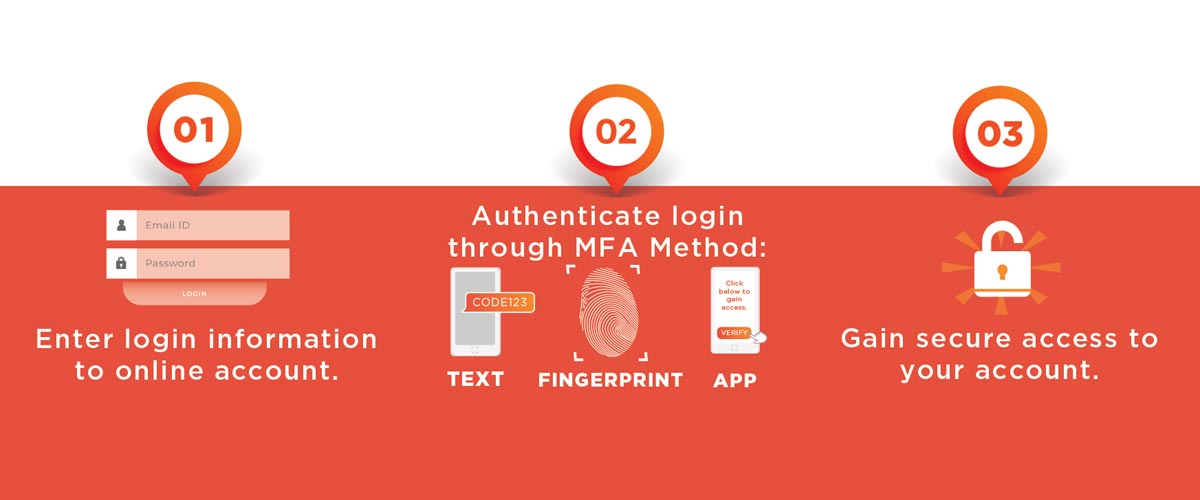
MFA is a method of ensuring online login security by using two or more factors, such as a pin code, email verification, text message, fingerprint or facial recognition. Incorporating this extra layer of account security greatly reduces the likelihood of cybercriminals accessing your accounts, devices and information. According to Microsoft, MFA can make you 99% less likely to get hacked.
There are three main types of MFA authentication methods:
Knowledge: Something you know, e.g., a password or pin
Possession: Something you have, e.g., a smartphone or badge
Inherence: Something you are, e.g., biometric data, like a fingerprint or facial recognition
Any combination of these elements can be used to authenticate your credentials.
How it Works
Consider adding MFA to secure your accounts from cybercrime. MFA software companies like Cisco, Okta and Google Authenticator offer a wide variety of options for personal or professional use. Facebook allows users to directly enable MFA on their accounts using their smartphones.
Taking an extra step to ensure your online accounts are safe from unwanted intruders is vital in our online world. Just like you would deadbolt your door before going to bed, deadbolt your accounts with MFA.